First we need to get some Excel Data. You can shoose whatever you want.
But I will do something unusual: I will export an Excel file manually to Import it later automatically with VBA code.
You can follow my lead and export data to Excel from previous Database or same one you will work with now.

After exporting, we need to check if file is ok, let’s open it and find out:
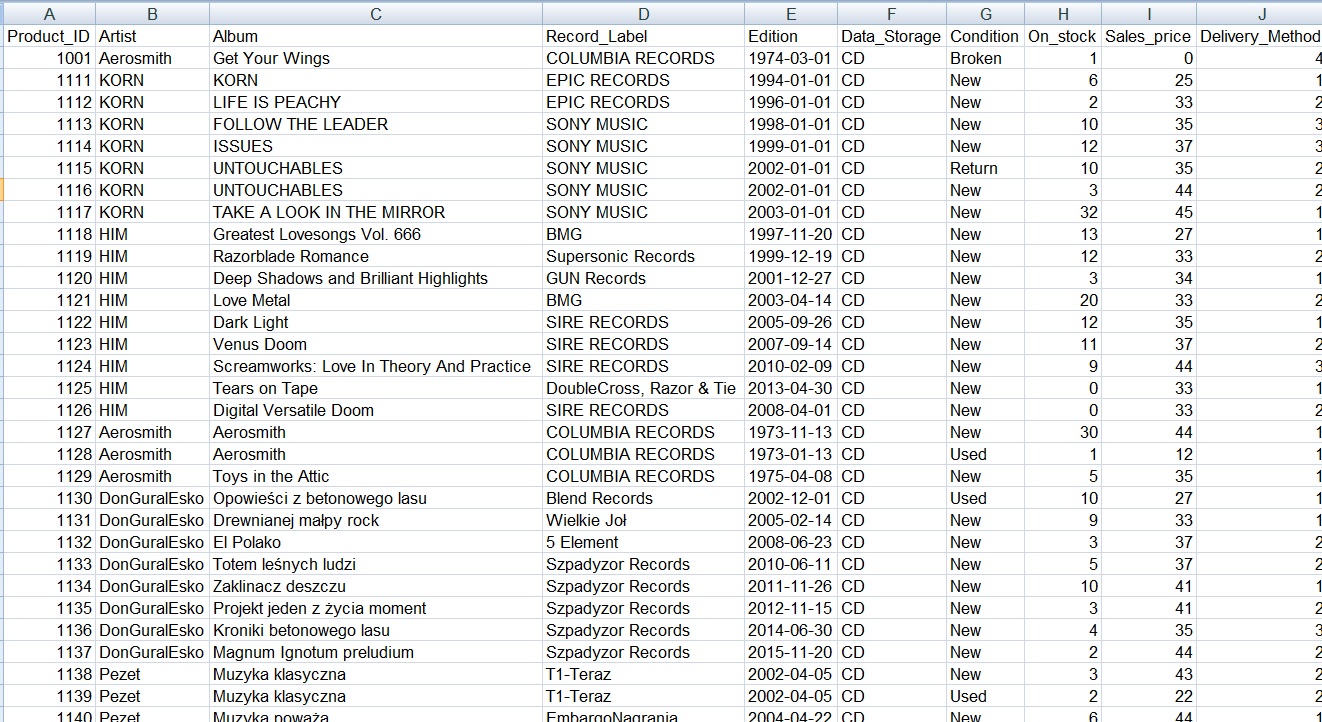
Looks good to me, how about yours?
Ok, we have data source, let’s get it stared. You can create new database or choose some of already created. I choosed same one I used to show you examples of an easy forms examples.
Before we will write our first code let’s create a simple form to choose and import Excel file. By now we will need free objects: two bottons and one textbox to show selected path.
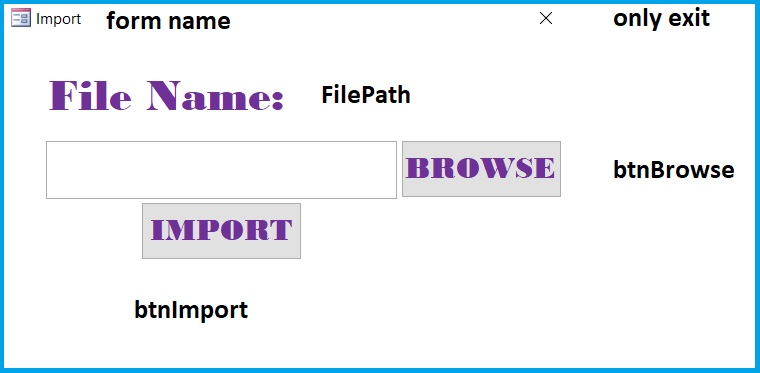
Ok, time for code. Go to Database tools –> VisualBasic –> Insert Module.
Name of the Module will be familiar with Procedure name:
modImpXlsFile –> ImpXlsFile
Our first code goes as follow
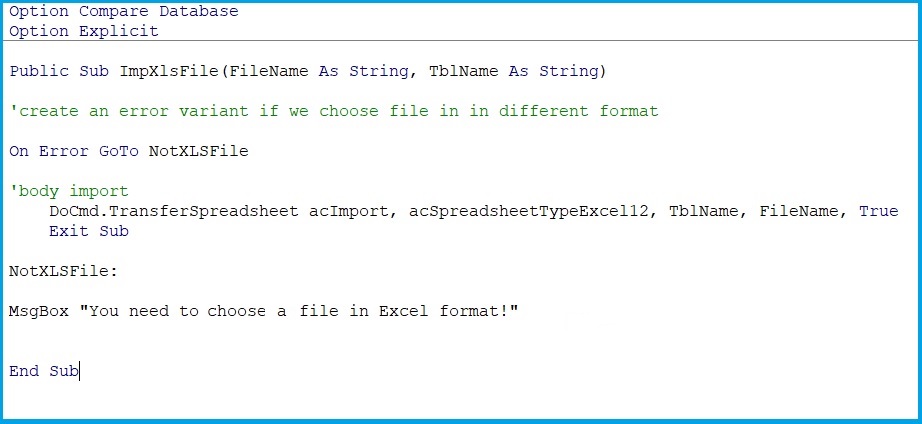
Public Sub ImpXlsFile(FileName As String, TblName As String)
'create an error variant if we choose file in in different format
On Error GoTo NotXLSFile
'body import
DoCmd.TransferSpreadsheet acImport, acSpreadsheetTypeExcel12, TblName, FileName, True
Exit Sub
NotXLSFile:
MsgBox "You need to a choose file in Excel format!"
End Sub
this procedure will ba call while clicking on btnImport botton.
Now, we need to write some code for file choosing options. Just one thing, we need to do first: change preferences and add two libraries so we can use alredy defined MS Objects:
- Microsoft Office 15.0 (or latest) Object Library
- Microsoft Scripting Runtime
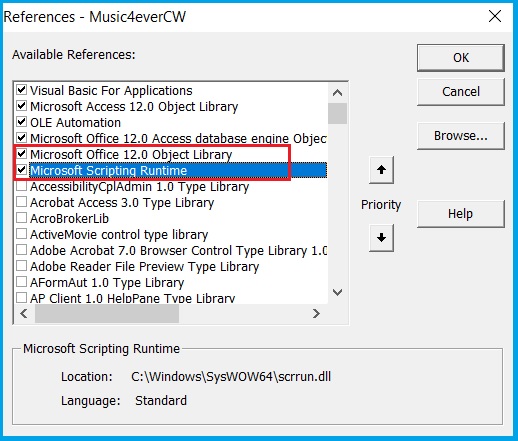
Now we will use a method you alredy know from VBA EXCEL – FileDialog (ex.No.5), but it will be even easier, just as the porcedure of importing Excel files.:
Private Sub btnBrowse_Click()
Dim FDiag As Office.FileDialog
Dim item As Variant

Set FDiag = Application.FileDialog(msoFileDialogFilePicker)

FDiag.AllowMultiSelect = False
FDiag.Title = "Plase select an Excel File: "
FDiag.Filters.Clear
FDiag.Filters.Add "Excel Spreadsheets", "*.xls, *.xlsx"
If FDiag.Show Then

For Each item In FDiag.SelectedItems
Me.FilePath = item
Next
End If
End Sub
Private Sub btnImport_Click()
Dim FSO As New FileSystemObject

'we need to create a condiation, that user need to select a file before import
If Nz(Me.FilePath, "") = "" Then
MsgBox "First you need to select a file!"
Exit Sub
End If

If FSO.FileExists(Nz(Me.FilePath, "")) Then
modImpXlsFile.ImpXlsFile Me.FilePath, FSO.GetFileName(Me.FilePath)
MsgBox "File successfully imported!"
Else:
MsgBox "File not found!"
End If
End Sub
During making this Tuto I decided to add some new options to my form, so a the end it looks like this:
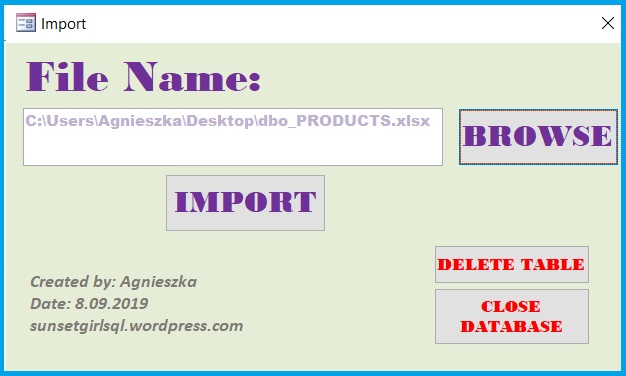
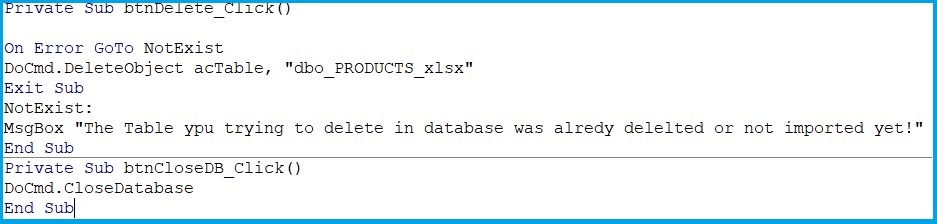
and code for Bottons: Delete Table (btnDelete) and Close Database (btnCloseDB):
 Heart4DataScience