First basic programs
short introduction into VBA language before we start programing
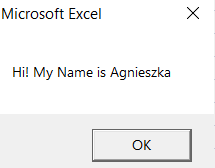
Sub MyFirstProcedure()

MsgBox "Hi! My Name is Agnieszka"

End Sub
'METHOD2
MsgBox ("Hi! My Name is Agnieszka")

'METHOD3
Dim Message As VbMsgBoxResult
Message = MsgBox("Hi! My Name is Agnieszka", vbInformation)


Input Box with Values
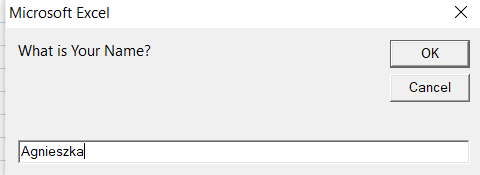
Dim sWelcome As String
sWelcome = InputBox("What is Your Name?")
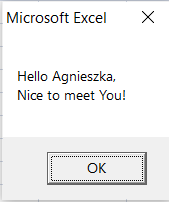
MsgBox ("Hello " & sWelcome & "," & vbCrLf & "Nice to meet You!")
Simple VB Functions
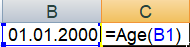
Creating Own Functions
Public Function Age(dateBOD As Date) As Date

Age -Year(Date) - Year(dateBOD)

End Function
Public Function Login(YourFullName As String, YourBirthYear As Integer) As String

Login = Left(YourFullName, 4) & Right(YourBirthYear, 2)

End Function

If, Else, Case
Example 1: inserts into selected range
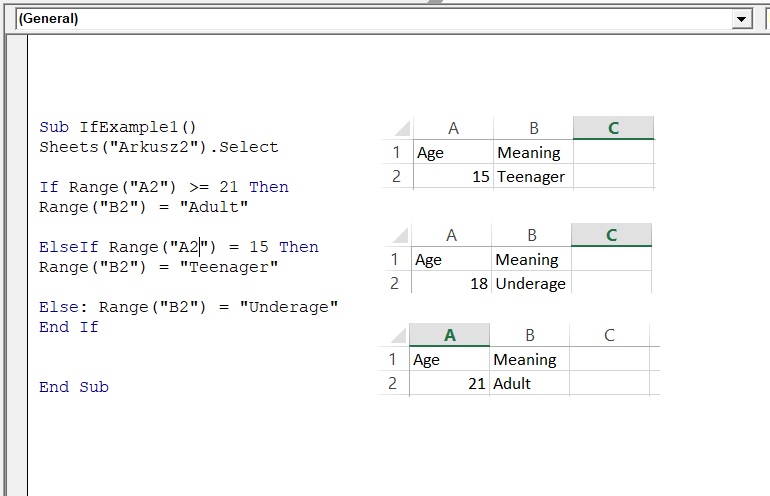
Example 2 : Values into InputBox, results as MsgBox.
Sub IfExample2()

Dim VarAge As Variant
Dim Sttext As String

VarAge = InputBox("Enter your age:", "Dialog Box", 3)
If IsNumeric(VarAge) = True Then
VarAge = Round(VarAge, 0)

If VarAge > 120 Then
Sttext = "Are you nuts?!"
ElseIf VarAge >= 18 Then
Sttext = "Adult"
ElseIf VarAge < 0 Then
Sttext = "Only full years"
ElseIf VarAge < 18 Then
Sttext = "Underage"

End If
Else: Sttext = "Wrong! Enter numbers only"
End If

MsgBox Sttext
End Sub
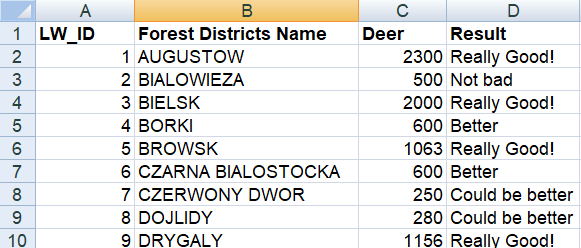
Example 3: Simple Case code
Sub SelectCaseExample()

Dim x As Long

For x = 2 To 10

Select Case ActiveSheet.Cells(x, 3)
Case Is < 300
ActiveSheet.Cells(x, 4) = "Could be better"
Case Is = 500
ActiveSheet.Cells(x, 4) = "Not bad"
Case Is = 600
ActiveSheet.Cells(x, 4) = "Better"
Case Is > 1000
ActiveSheet.Cells(x, 4) = "Really Good!"
End Select
Next x

End Sub
Loops: While-Wend, Do-Loop, For-Next
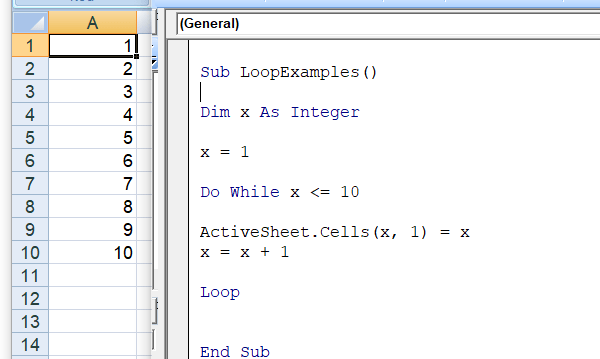
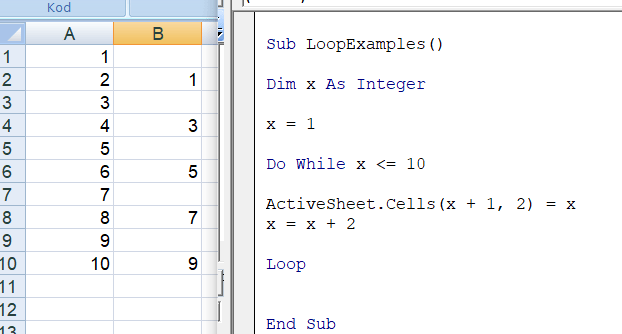
Example 1: Do While Loop
Dim x As Integer

x = 1

Do While x <= 10

ActiveSheet.Cells(x, 1) = x
x = x + 1

Loop
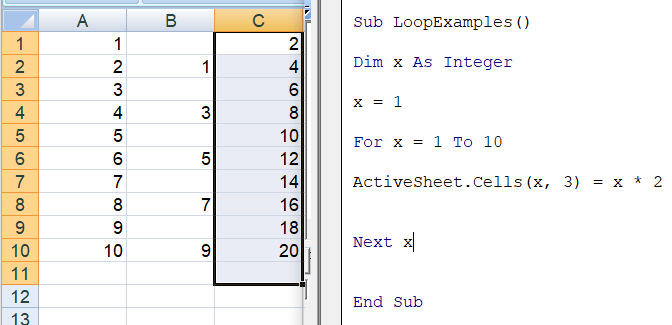
For_Next Example for selected counting method
'Removing Rows with specified values
Dim x As Long

For x = 20 To 1 Step -1
    If ActiveSheet.Cells(x, 1).Value = "aaaa" Then

      ActiveSheet.Cells(x, 1).EntireRow.Delete

    End If
Next x
 Heart4DataScience