Quandl is a source of financial, economic and alternative data acquired by Nasdaq. Include more than 20 million data sets available, readable in json, csv, xml formats. Can be loaded in MatLab, R, Python and more. To install quandl in Python: pip install quandl
On Dec 4th, 2018, Nasdaq Inc. had acquired Quandl and the dataset is now called Nasdaq Data Link.
Nasdaq Stock Market is an American stock exchange, the most active stock trading venue in the U.S. by volume and ranked second on the list of stock exchanges by market capitalization of shares traded, behind the New York Stock Exchange. It trades stock of healthcare, financial, media, entertainment, agiculture and forests, retail, hospitality, etc, but mosty focuses on technology stocks. The exchange is made up of both American and foreign firms, with China and Israel being the largest foreign sources.
Step 1 – register on Nasdaq Data Link
Visit https://data.nasdaq.com/ and sign up
Copy the Api Key

Step 2 – select the database
After succesful log in you can go to Nasdaq Data Link and click explore or put name of data you are searching for.

I clicked explore and select free in list of filter available on the left side of page

Some free QUANDL data is visible in the first lines of the execution. By clicking on selected f.e.: Bitcoin Data Insights we will see more details.
Step 3 – get data from selected database in Python
Important and useful thing is that in fact we don’t have to download data from the page to get into it with python. Knowing the Api-key and basic attriubutes of the seletected database we can handle it by refer to proper url link. Before that we can make a check if it works by copy link from metadata availeble below the Product Overview (Coverage & Data Organization):


Code in Python
import requests
import pandas as pd

api_key = "Your API key from Nasdaq"
url = (f"https://data.nasdaq.com/api/v3/"
       f"datatables/QDL/BCHAIN.json?api_key="
       f"{api_key}")

response = requests.get(url)
data = response.json()

if response.status_code == 200:
    rows = data['datatable']['data']
    columns = data['datatable']['columns']

    # DataFrame
    df = pd.DataFrame(rows,
                      columns=[col['name']
                                     for col in columns])
    print(df.head())
else:
    print(f"Error: {response.status_code}, "
          f"{response.text}")

Print part of report details
#print(df.head())
print(df.tail(10))

#updated part of above code
    # DataFrame
    df = pd.DataFrame(rows,
                      columns=[col['name']
                                     for col in columns])
    print(df.columns)
    print(df.head(2))
    print(df.tail(5))

Other source example
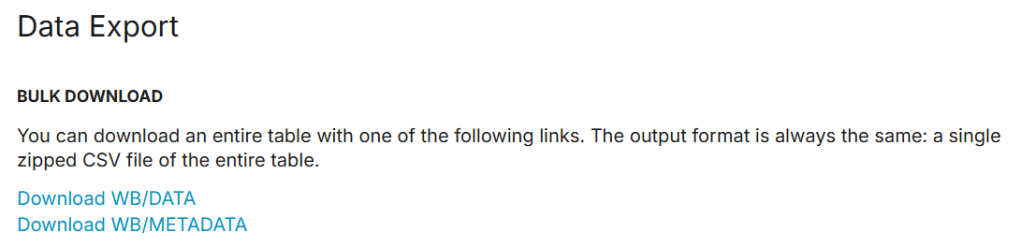
World Bank Data


#updated part of above code
url = (f"https://data.nasdaq.com/api/v3/datatables/"
       f"WB/DATA?series_id=VC.PKP.TOTL.UN"
       f"&country_code=XKX%2CWLD%2CUMC"
       f"&api_key={api_key}")
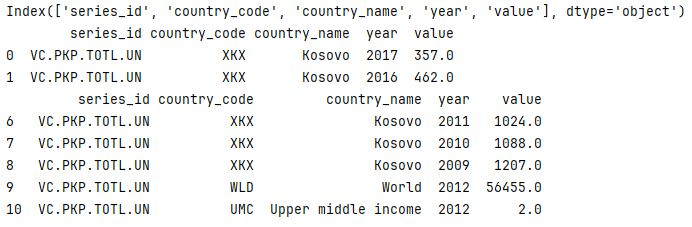
result for open data: World Bank Data
Change link parameters
selected: NV.AGR.TOTL.CD (name:Agriculture, forestry, and fishing, value added (current US$)) from WB.METADATA
selected one country code: WLD – world based on list of codes available in WB.DATA
WB/DATA?series_id=NV.AGR.TOTL.CD“
&country_code=WLD“
#updated part of above code
url = (f"https://data.nasdaq.com/api/v3/datatables/"
       f"WB/DATA?series_id=VC.PKP.TOTL.UN"
       f"&country_code=XKX%2CWLD%2CUMC"
       f"&api_key={api_key}")

 Heart4DataScience