How to show a macro processing using a progress bar?
Would like to present list of movies with the highest score in history wordlwide, by gross income in US Dolars.
I found some information on the internet and focused on one list with 1000 positions, including year of production (release). Downloaded the list directly to Excel Worksheet and named it as “Source”. Then I wrote a small macro to insert first 500 records in the second Sheet, named “Data”. Here’s the code for this process:
For x = 2 To 501
  sData.Cells(x, 1).Value = x - 1
  sData.Cells(x, 2).Value = sSource.Cells(x, 2).Value
  sData.Cells(x, 3).Value = Right(sSource.Cells(x, 3).Value, 13)
  sData.Cells(x, 4).Value = sSource.Cells(x, 4).Value

    For y = 1 To 4
      sData.Cells(1, y).Value = sSource.Cells(1, y).Value
    Next y

Next x
To higliht sort of information, I decided to colored :
– pink: the best sellers with income > 2 billion dolars
– blue: all next position, contained in top 10
– brown: next values to 20
– dark grey: all the rest.
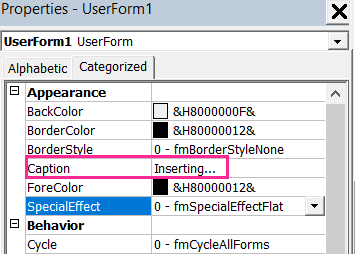
Then I created a user form for progress bar. Inserted a simple UserForm without changing it Name, only Caption:
put a Frame inside the UserForm:
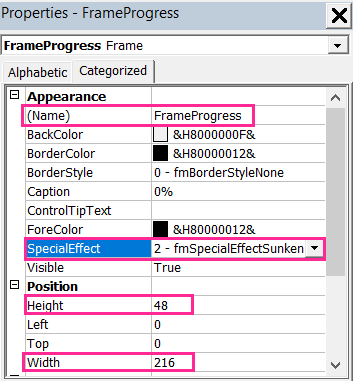
and a Labels:
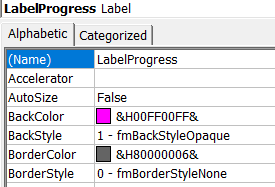
1) one for progress bar, where I picked a color (pink):
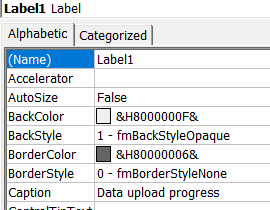
2)and one with a description “Data upload progress” in Label’s Caption.
The final result:
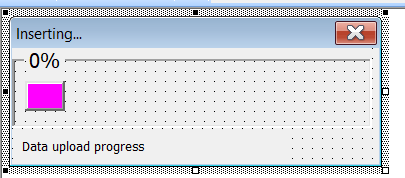
There will be no code in the UserForm, but we need to go back to our Module and add some code lines:
For modular variables:
Dim PctDone As Single
Dim ProgressIndicator As UserForm1
A procedure for progress bar update:
Sub UpdateProgress(pct)
    With ProgressIndicator

        .FrameProgress.Caption = Format(pct, "0%")
        .LabelProgress.Width = pct * (.FrameProgress.Width - 10)

    End With

    DoEvents

End Sub
Inside main procedure :
ProgressIndicator.Show vbModeless

If TypeName(ActiveSheet) <> "Worksheet" Then
    Unload ProgressIndicator
    Exit Sub
End If

    For x = 2 To 501
'...'

        PctDone = x / 501
        Call UpdateProgress(PctDone)

    Next x
How it works:

Check the whole code and try it by your own:
 Heart4DataScience