Read data with OS

OS implements some useful functions on pathnames. Path parameters can be passed as either strings, or bytes. Applications are encouraged to represent file names as (Unicode) character strings.

import os

#The function returns a tuple of data retrieved from the csv file
def get_data(csv_file):

 data = []  # declare an empty list for data from a file

  if os.path.isfile(csv_file):  # file source verification
      with open(csv_file, "r") as content:  # open 4 read
          for lines in content:
             lines = lines.replace("\n", "")
             lines = lines.replace("\r", "")  # remove line breaks
              
# adding items to the stamp and the stamp to the list
              data.append(tuple(lines.split(",")))
    else:
        print ("Chosen file", csv_file, "does not exist!")

    return tuple(data)  # transform the list into a tuple and return it
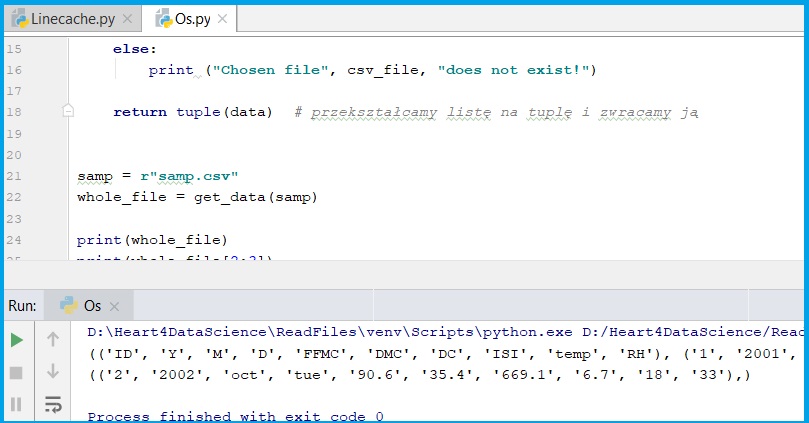
samp = r"samp.csv"
whole_file = get_data(samp)

print(whole_file)
print(whole_file[2:3])
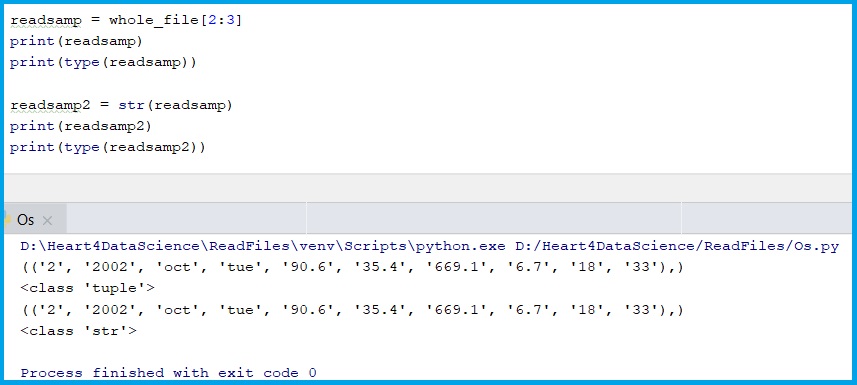
readsamp = whole_file[2:3]
print(readsamp)
print(type(readsamp))

readsamp2 = str(readsamp)
print(readsamp2)
print(type(readsamp2))
#saving data to a new csv file
plik = open("samp2.csv", "w")
plik.write(readsamp2)
plik.close


# change the content
sourcefile = open(samp).readlines()
destinyline = open(samp, "w")

for x in sourcefile:
    destinyline.write(x.replace("X", "Y"))

destinyline.close()
Import data with Linecache

With this post I want to share 2 nice examples how to read data with Python libraries: os and linecache.

First we need some sample data, you copy data from here:

and save it as .csv [comma-separeated]

Linecache module allows us to get any line from a Python source file. During the attempting to optimize internally, using a cache, the common case where many lines are read from a single file.

import linecache

#loading the file into the console
def import_data(csv_file):
    with open(csv_file, "r") as file_reader:
            for lines in file_reader:
                print(lines, end="")

#file line count
def countLines(CSVfile):
    return len(open(CSVfile, 'rU').readlines())

#reading a single line
def readsingleline(CSVfile,rowNr):
    return linecache.getline(CSVfile, rowNr)

#reading a part of the file (line x to y)
def readsample(plikCSV):
    return linecache.getlines(plikCSV)
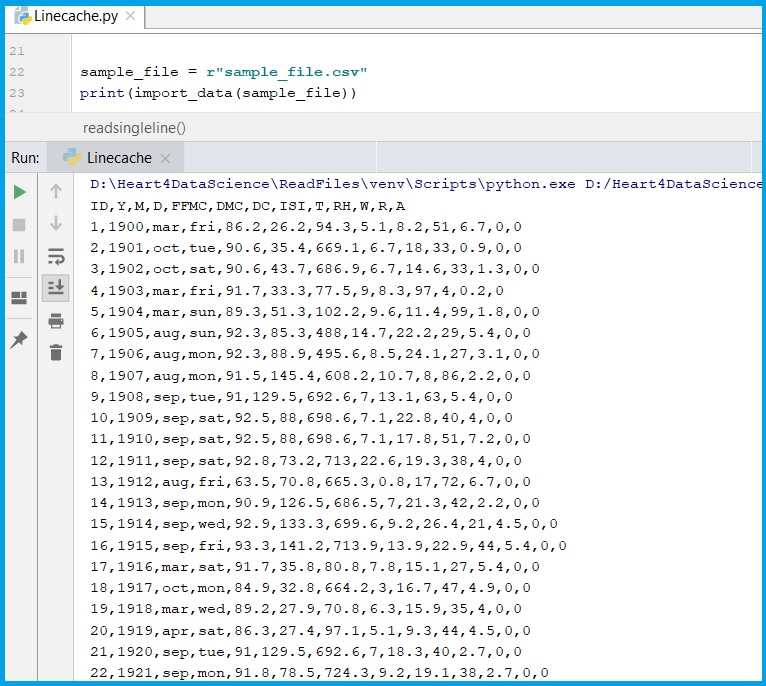
  1. Read whole data from file
sample_file = r"sample_file.csv"
print(import_data(sample_file))
result

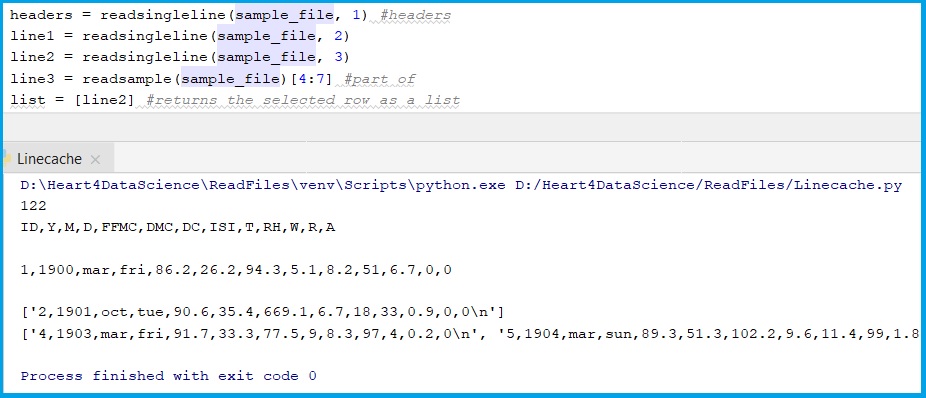
2. other define functions results

headers = readsingleline(sample_file, 1) #headers
line1 = readsingleline(sample_file, 2)
line2 = readsingleline(sample_file, 3)
line3 = readsample(sample_file)[4:7] #part of
list = [line2] #returns the selected row as a list

#results
print(countLines(sample_file))
print(headers)
print(line1)
print(list)
print(line3)

3. Saving to other file.

#saving data to a new csv file
plik = open("sample_file2.csv", "w")
plik.write(str(line3))
plik.close