With this post I want to share 2 nice examples how to read data with Python libraries: os and linecache.
First we need some sample data, you copy data from here:
and save it as .csv [comma-separeated]
Linecache module allows us to get any line from a Python source file. During the attempting to optimize internally, using a cache, the common case where many lines are read from a single file.
import linecache

#loading the file into the console
def import_data(csv_file):
    with open(csv_file, "r") as file_reader:
            for lines in file_reader:
                print(lines, end="")

#file line count
def countLines(CSVfile):
    return len(open(CSVfile, 'rU').readlines())

#reading a single line
def readsingleline(CSVfile,rowNr):
    return linecache.getline(CSVfile, rowNr)

#reading a part of the file (line x to y)
def readsample(plikCSV):
    return linecache.getlines(plikCSV)
- Read whole data from file
sample_file = r"sample_file.csv"
print(import_data(sample_file))
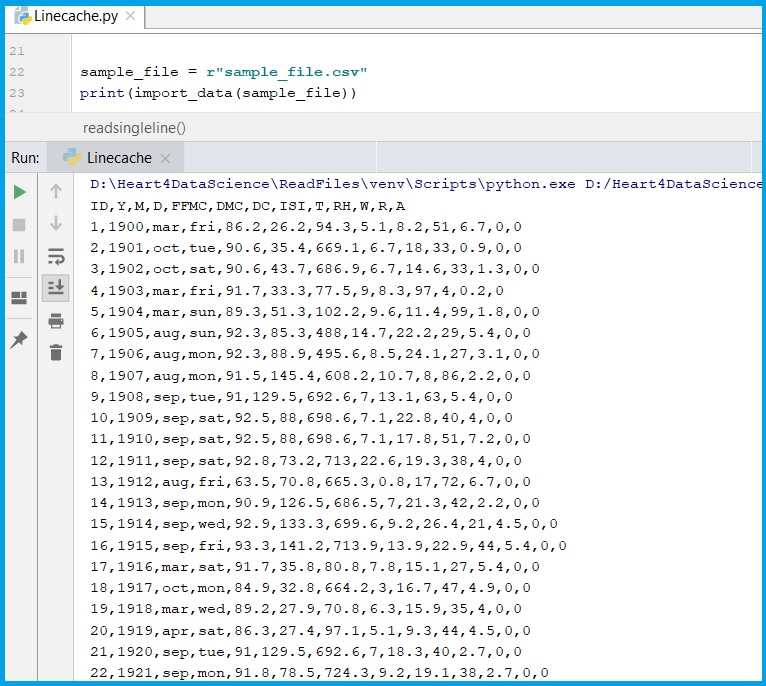
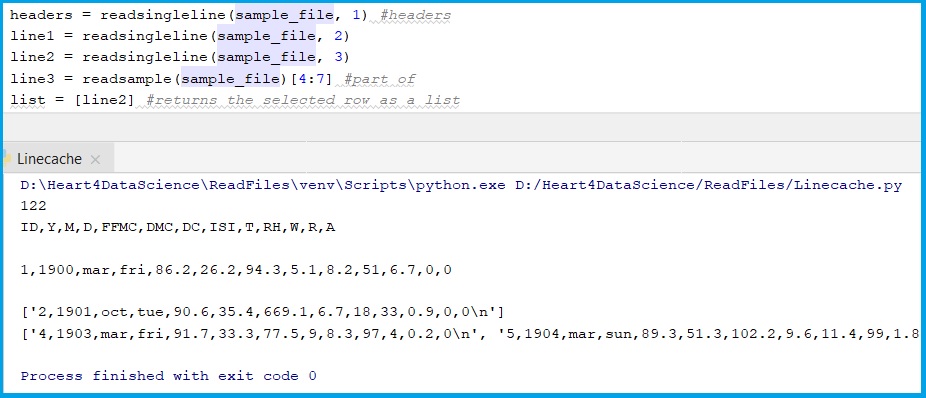
2. other define functions results
headers = readsingleline(sample_file, 1) #headers
line1 = readsingleline(sample_file, 2)
line2 = readsingleline(sample_file, 3)
line3 = readsample(sample_file)[4:7] #part of
list = [line2] #returns the selected row as a list

#results
print(countLines(sample_file))
print(headers)
print(line1)
print(list)
print(line3)
3. Saving to other file.
#saving data to a new csv file
plik = open("sample_file2.csv", "w")
plik.write(str(line3))
plik.close
 Heart4DataScience