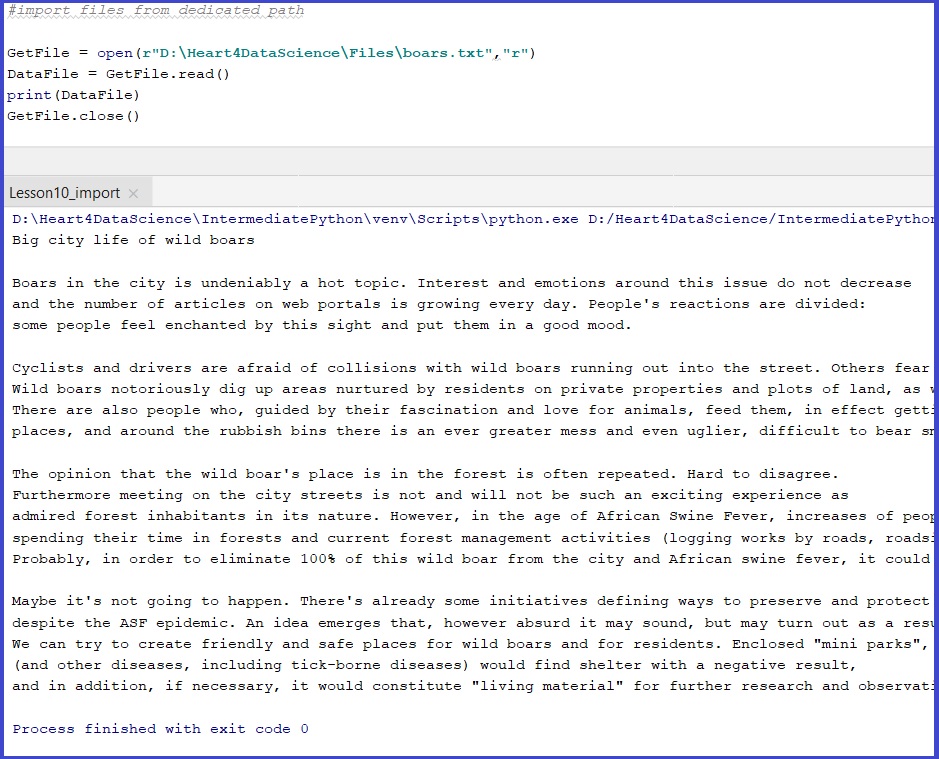
You can use any file you want. First example is with.txt file.
#import files from dedicated path
#txt
GetFile = open(r"D:\Heart4DataScience\Files\boars.txt","r")
DataFile = GetFile.read()
print(DataFile)
GetFile.close()
#csv
GetFile = open(r"D:\Heart4DataScience\Files\boars.csv","r")
For special characters in the file, will be useful to use proper encoding method, by declaring this element at the end of ‘open’ function
GetFile = open(r"D:\Heart4DataScience\Files\boars.txt","r", encoding="utf-8")
If we don’t need to use outside memory we can just copy/iport file directly to our project:
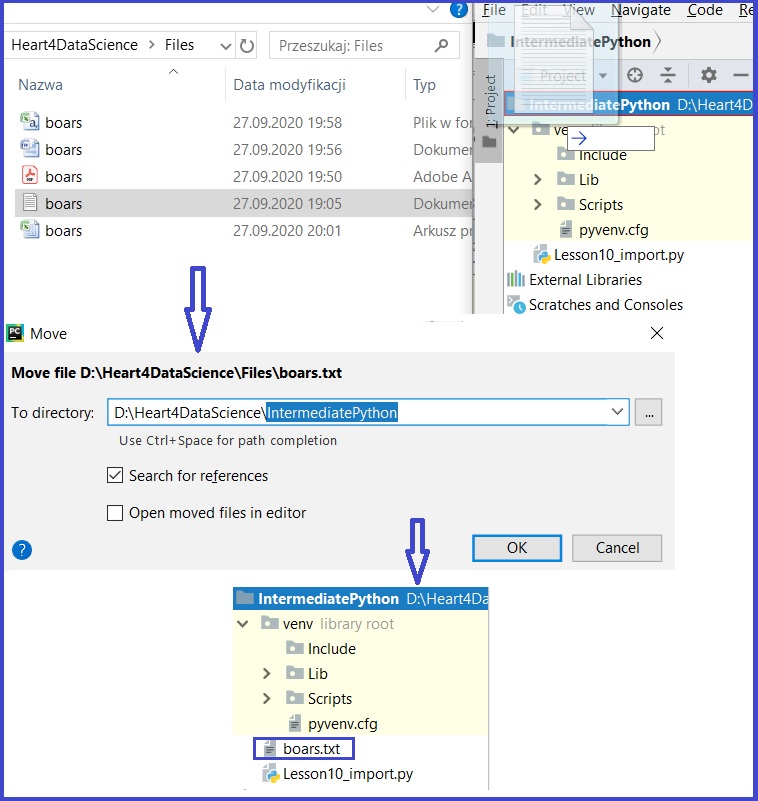
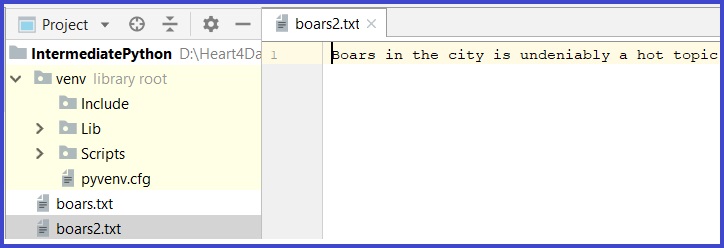
And now we can operate on a file inside PyCharm project – read or write:
with open("boars.txt","r", encoding="utf-8") as GetFile:
    for flines in GetFile:
        print(flines, end="")
SaveFile =  open("boars2.txt","w", encoding="utf-8")
SaveFile.write("Boars in the city is undeniably a hot topic.")
SaveFile.close()
 Heart4DataScience