Obviously, something I haven’t mentioned yet: there is a possibility to record macros in Excel.
It might be fast and useful way to automate some basic moves in our workbooks, but it is not as much flexible as declaring variables, loop and arrays.
For some projects we can use combination of both ways to create really good looking code suitable for our daily process.
Today I am going to present a short template I have created few days ago. A really similar solution I am using right now in the office.
Let’s create quickly 2-3 reports with .txt extansion
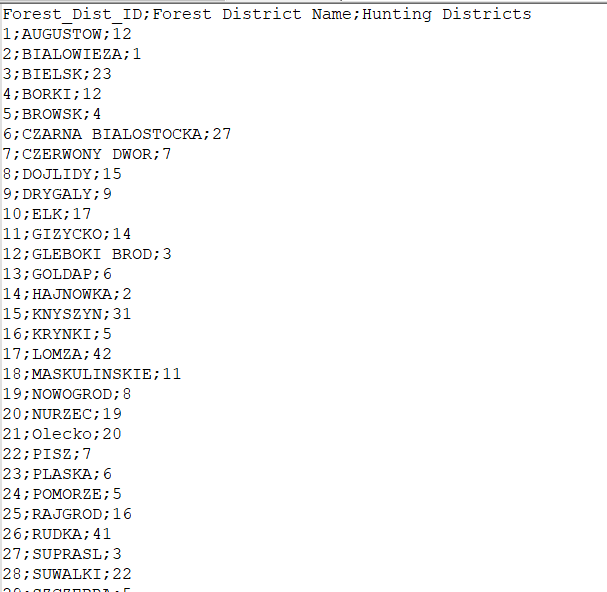
and save it as Report_20181210.txt
The main goal is to create a simple macro, which let final user to choose the path and importing the report into the selected sheet.
At first we will record the steps, that we are doing while we import report into excel.
cLet’s got to the top tabs, select Developer and then click on: Record Macro.
Now, let’s go to data – import txt file and follow the steps suggested by Excel.
After we need to switch off the recording.
Now take a look at what has been saved by Excel in VBA Editor. On the list of Project Exloplorer, there will be a new module with a code like this one :

Looks nice but need to by a little modified.
Lets write a following Procedure:
Sub ImportReport()

Dim Answer As VbMsgBoxResult
Dim TxtPath As Office.FileDialog
Dim TxtFile As String

Set TxtPath = Application.FileDialog(msoFileDialogFilePicker)

With TxtPath
.AllowMultiSelect = False
.Title = "Please choose a folder to insert a Report file:"
.Filters.Clear
.Filters.Add "All", "*.*"

If .Show = True Then
TxtFile = Dir(.SelectedItems(1))
Sheets.Add.Name = TxtFile

End If
End With

Answer = MsgBox("Do you want to import: " & TxtFile &"?" , _
vbYesNo, "Importing")

If Answer = vbYes Then
With ActiveSheet.QueryTables.Add(Connection:= _
"TEXT;" & TxtPath.SelectedItems(1), Destination:=Range( _
"$A$1"))
.Name = TxtFile
.FieldNames = True
.RowNumbers = False
.FillAdjacentFormulas = False
.PreserveFormatting = True
.RefreshOnFileOpen = False
.RefreshStyle = xlInsertDeleteCells
.SavePassword = False
.SaveData = True
.AdjustColumnWidth = True
.RefreshPeriod = 0
.TextFilePromptOnRefresh = False
.TextFilePlatform = 1252
.TextFileStartRow = 1
.TextFileParseType = xlDelimited
.TextFileTextQualifier = xlTextQualifierDoubleQuote
.TextFileConsecutiveDelimiter = False
.TextFileTabDelimiter = True
.TextFileSemicolonDelimiter = False
.TextFileCommaDelimiter = False
.TextFileSpaceDelimiter = False
.TextFileColumnDataTypes = Array(1, 1, 1, 1)
.TextFileTrailingMinusNumbers = True
.Refresh BackgroundQuery:=False
End With
ElseIf Answer = vbNo Then
MsgBox "Choose file again"
End If

End Sub
At the end let’s clik on Debug –> Complie VBA Project, if everything’s fine go to RunSub (F5)
 Heart4DataScience