VBA – switch over Sheets, etc.

1. Active Worksheet

Write this 3 short programs in one module, and check the result.

Sub Program1()

Range("A1:A10") = 12
End Sub

'...............................................

Sub Program2()
Sheets("Arkusz2").Select
Range("B1:B10") = 12
End Sub

'...............................................

Sub Program3()

ActiveSheet.Range("A1:A10") = 12

ActiveSheet.Range("B1:B10") = 22
End Sub

What’s the difference ?

2.  Declering the amount for the variable.

As you might already know while we declaring our variables we can byt the way decide how much chatarcters it should contains with this simple small difference:

Sub LenExample1()

Sheets("Arkusz1").Select

Range("A1") = "Login"
Range("B1") = "Password"

Dim L As String * 8
Dim P As String * 5

L = 123456789
P = 123456789

Range("A2") = L
Range("B2") = P
End Sub

3. Login and Password definition

Sub Program2()

Sheets("Arkusz1").Select

Range("A1") = "Login"
Range("B1") = "Password"

If Len(Range("A2")) = 8 Then
MsgBox "Login correct"
Else: MsgBox "Logins should contains 8 characters"
End If

If Len(Range("B2")) < 6 Then
MsgBox "Password should contains at least 6 characters: 
1 or more Numeric and 1 special sign"
Else: MsgBox "Password accepted"
End If

End Sub
VBA practise

Let’s see what will happen with our data if we decide to declare some values and make a loop for it as a module to insert.

Open Excel.

Write some values from 1 to 18 with more then 3 numbers after comma, left second column blank, and write some words in the 3rd column

imagine, that this values are kind of data genereted form the report with no headers.

now insert a new row above the values, to get the report similar to this one below:

   
1234,23456 abscksksksa
1233,45679 abscksksksa
1232,679016 abscksksksa
1231,90124 abscksksksa
1231,123471 abscksksksa
1230,34570 abscksksksa
1229,567927 abscksksksa
1228,79015 abscksksksa
1228,012382 abscksksksa
1227,23461 abscksksksa
1226,456838 abscksksksa
1225,67907 abscksksksa
1224,901293 abscksksksa
1224,12352 abscksksksa
1223,345749 abscksksksa
1222,56798 abscksksksa
1221,790204 abscksksksa
1221,01243 abscksksksa

Now insert module named:

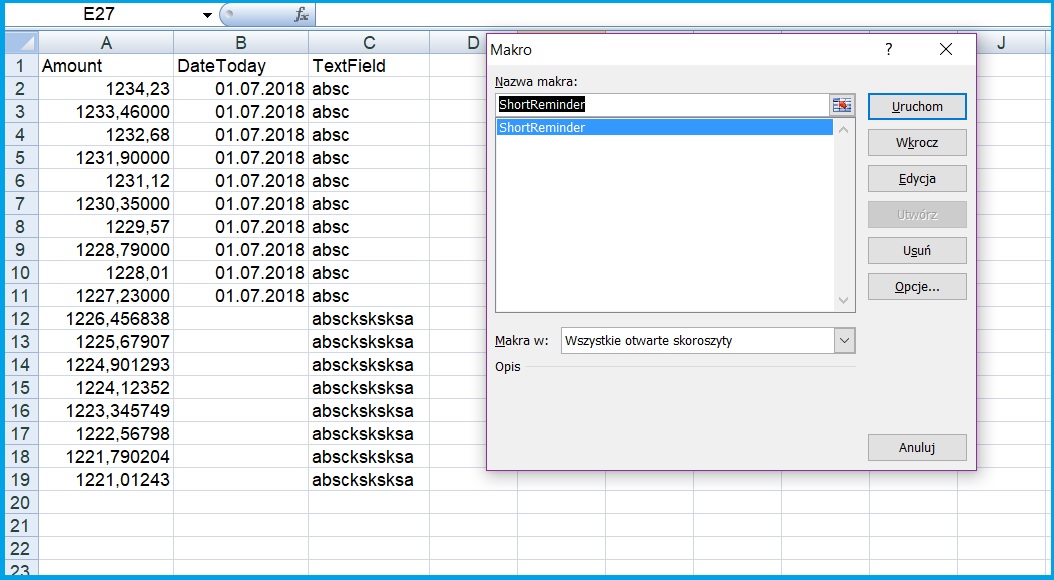
ShortReminder

a result

ShortReminderresult

as you can see only values till 11 has been changed, regrding to the condition set into loop. There is one little mistake in a code, will someone guess what is it? VBA is flexible as much, that we cannot see this error from user side.

Now I am going to do same things but with the real data from my project.

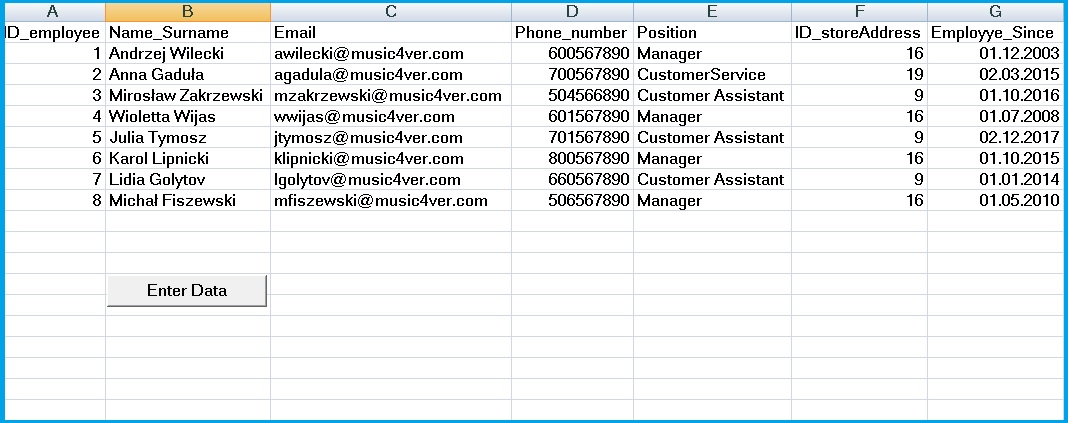
If you have already practised data export from MS SQL into Excel or Access, please use table Logins.xls or .xlsx and save as .xlsm

and add a column as follow

Employye_Since
01.12.2003
02.03.2015
01.10.2016
01.07.2008
02.12.2017
01.10.2015
01.01.2014
01.05.2010

insert module:

Sub EnterMoreDetails

by clicking on a bottom : ENTER DATA

Enter_Data

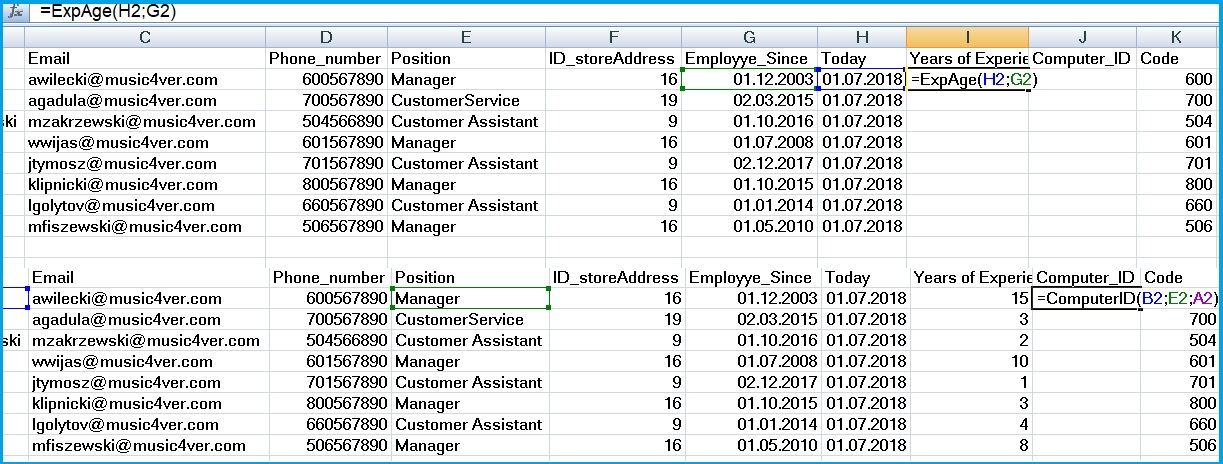
after enter the formulas:

formula.jpg

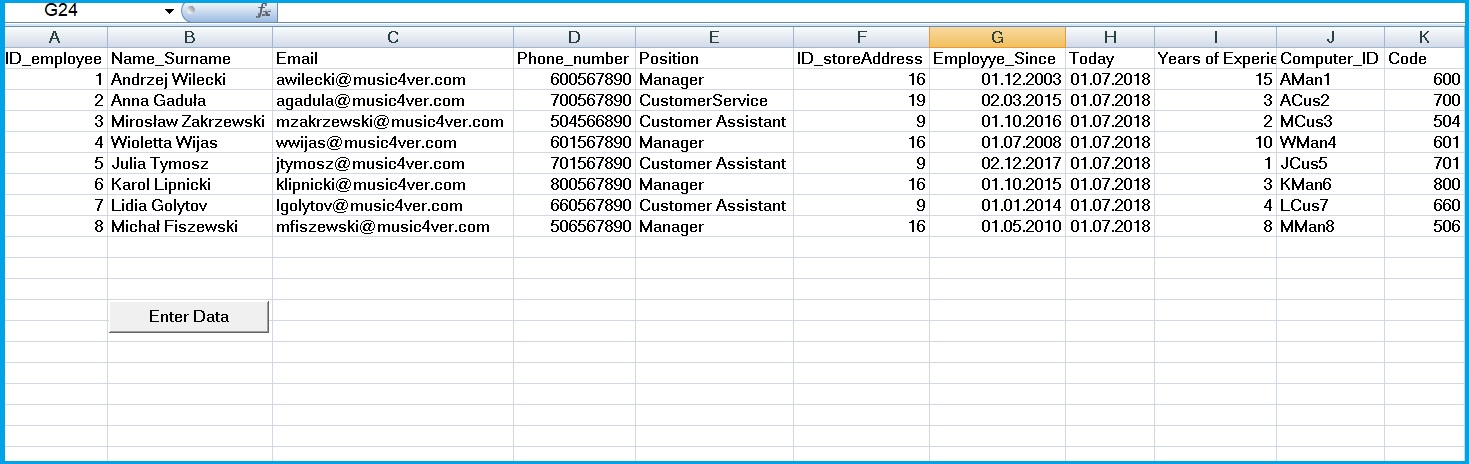
a complete result

EnterDataResult.jpg

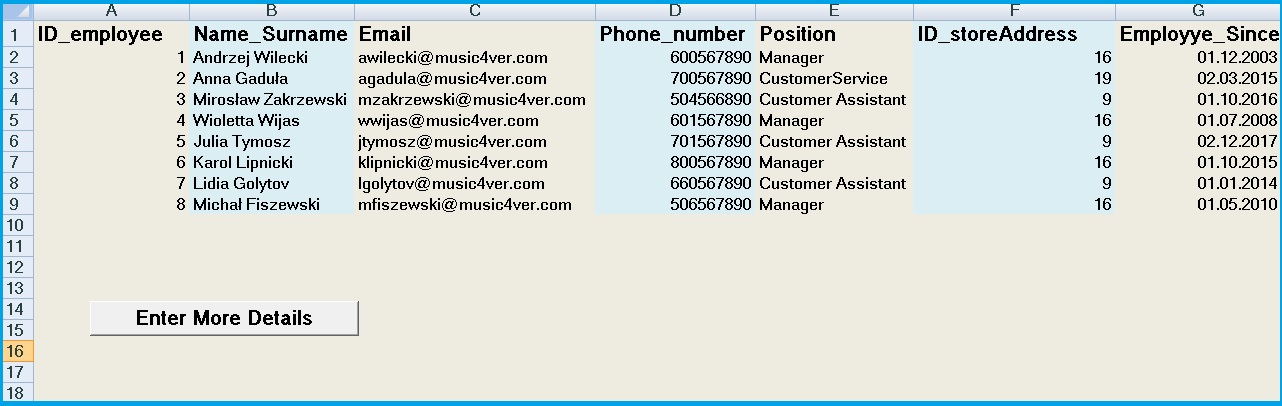
or we can make it looks more approachable

enter more details